
 By AsimAli
Android gaming has become an important part of mobile entertainment. Many people enjoy playing games on their smartphones because they are convenient, accessible, and available in different genres. However, installing every game from an app store is not always necessary. Modern mobile browsers can run many games directly, allowing users to enjoy entertainment without downloading a separate application.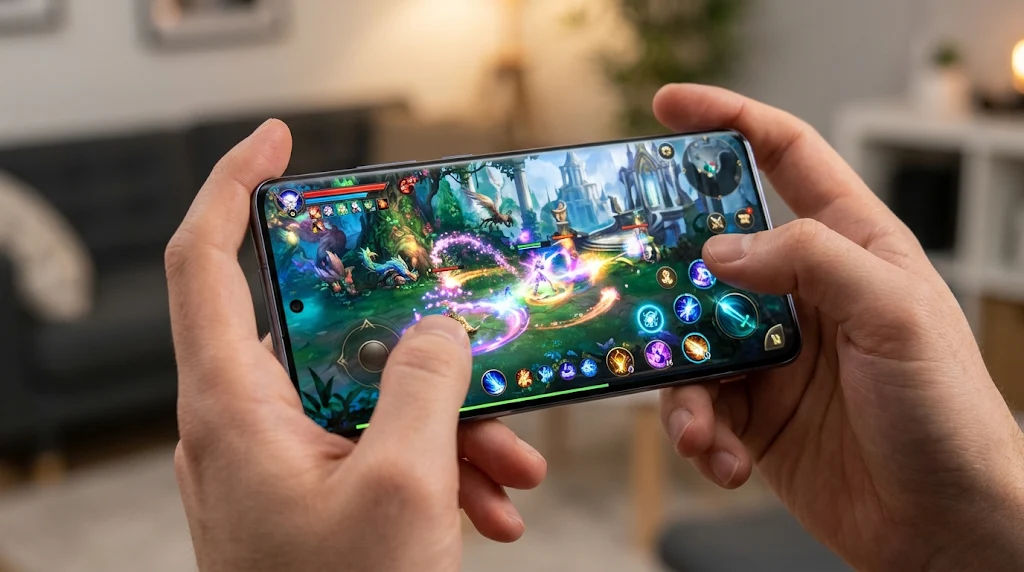
The development of browser technology has made mobile gaming more flexible. Today, HTML5, JavaScript, WebGL, and other technologies allow developers to create interactive games that work on Android devices. Some games can run directly in Chrome, Firefox, and other compatible browsers.
When exploring gaming websites, including domains such as open88.bet, it is important to understand the difference between ordinary browser games and betting-related services. Not every website offering gaming content provides the same experience, and users should consider age restrictions, privacy, security, and responsible internet use before accessing unfamiliar platforms.
Understanding how Android games work in browsers can help users make better decisions about compatibility, performance, device requirements, and online safety. This guide explains the technology behind browser gaming, its advantages, limitations, and the factors that influence the overall experience.
Android Browser Gaming
Android browser gaming refers to playing games through a mobile web browser instead of installing a dedicated application.
Traditional Android games are commonly downloaded through an application store. They are installed directly onto the device and may store files, graphics, and other resources locally.
Browser games work differently. Their main components are delivered through a website, and the browser processes the information needed to display the game.
This approach makes gaming more accessible because users do not necessarily need to install additional applications.
How Browser Games Work
Browser games use several web technologies to create interactive experiences.
HTML5 provides the basic structure of the gaming interface. JavaScript handles actions, movement, and other interactive elements. CSS controls visual presentation, while WebGL can support advanced graphics.
When someone opens a compatible gaming website, the browser loads the required resources.
Depending on the game, these resources may include:
-
Graphics and animations.
-
Sound effects and background audio.
-
Game instructions.
-
Interactive controls.
-
Game-related scripts.
-
Online data and progress information.
The browser processes these elements to create an experience that resembles a conventional mobile application.
Why Android Supports Browser Games
Android devices support modern web standards through browsers such as Google Chrome and Firefox.
These browsers provide features that allow websites to display interactive content, manage multimedia, and respond to touchscreen controls.
Most modern Android smartphones can run simple browser games without special software.
However, performance depends on the device's processor, available memory, browser version, operating system, and internet connection.
Can All Android Games Run in a Mobile Browser?
No. Not every Android game can run directly through a mobile browser.
There is an important difference between games developed specifically for web browsers and applications designed for Android.
A game created as an Android application may depend on operating-system features that a browser cannot access in the same way.
For example, some applications require particular graphics libraries, background services, device permissions, or native Android components.
These requirements can prevent them from running through a standard browser.
Browser-Compatible Games
Browser-compatible games are designed to work with web technologies.
Examples include:
-
Simple puzzle games.
-
Word games.
-
Educational games.
-
Card-matching games.
-
Basic strategy games.
-
Interactive quizzes.
-
Lightweight arcade-style games.
These games generally work well because they do not require extensive device resources.
Games That Require Installation
More advanced games may require a dedicated application.
These titles can include complex 3D games, games with extensive local storage requirements, and applications that depend on specific Android services.
Installing an application can provide better access to device hardware and operating-system features.
Therefore, browser gaming is convenient, but it does not replace every type of Android game.
Technologies That Make Mobile Browser Gaming Possible
Modern browser gaming depends on several technologies working together.
Understanding these technologies explains why some games perform smoothly while others experience delays.
HTML5
HTML5 is one of the most important technologies behind modern browser games.
It allows developers to create structured web content without depending on outdated browser plugins.
HTML5 also supports multimedia features, interactive elements, and graphics displays.
Its compatibility with modern mobile browsers makes it suitable for lightweight gaming experiences.
JavaScript
JavaScript provides much of the functionality behind browser games.
It processes user actions, controls animations, manages game rules, and updates the interface.
For example, when a player taps a button, JavaScript can recognize the action and update the game accordingly.
Efficient JavaScript programming can also improve performance on smartphones with limited processing power.
WebGL
WebGL allows browsers to display interactive two-dimensional and three-dimensional graphics.
It uses the device's graphics-processing capabilities to render visual elements.
This technology makes more advanced browser games possible.
However, WebGL performance varies between Android devices. Older smartphones may struggle with complicated visual effects.
CSS Animations
CSS helps developers create attractive interfaces and simple animations.
It can control transitions, movement, colors, and visual effects.
Well-designed CSS can make browser games feel more responsive without requiring unnecessary processing resources.
Advantages of Playing Games Through an Android Browser
Browser gaming offers several advantages compared with conventional applications.
These advantages are particularly useful for people who want convenient entertainment without installing additional software.
No Separate Installation Required
One of the biggest benefits is that compatible games can run directly through a browser.
Users do not always need to download large application files or wait for installations.
This can save storage space, especially on smartphones with limited internal memory.
Easy Accessibility
Browser games can be accessed through a compatible web browser.
Users can open a supported website and explore available content without searching through an application store.
This accessibility also makes browser games useful on different devices.
Reduced Storage Requirements
Installed games often require storage for application files, graphics, updates, and additional resources.
Browser games can reduce these requirements because some resources are processed or downloaded temporarily.
However, websites may still use browser cache and local storage.
Therefore, browser gaming does not mean that absolutely no device storage is used.
Convenient Updates
Browser-based games can receive updates through their websites.
Developers can modify game content and improve compatibility without requiring users to install every update manually.
This approach can make maintenance easier.
Cross-Device Compatibility
Some browser games can work on Android phones, tablets, and desktop computers.
This depends on whether the developer has designed the game to support different screen sizes and input methods.
Responsive design helps ensure that game interfaces remain usable across devices.
Limitations of Android Browser Gaming
Although browser games offer convenience, they also have certain limitations.
Understanding these disadvantages helps users develop realistic expectations.
Internet Connection Requirements
Many browser games require an active internet connection.
Without connectivity, the browser may not be able to load the game or retrieve the information needed to continue.
Some browser games support offline functionality, but this feature depends on their design.
Performance Differences
Browser games share device resources with other browser activities.
Multiple open tabs, background applications, and limited memory can affect performance.
An older smartphone may experience slower loading or less responsive controls when running demanding games.
Limited Hardware Access
A browser does not have exactly the same hardware access as a native Android application.
Some games require device capabilities that are not available through ordinary browser interfaces.
This can limit advanced features.
Browser Compatibility Problems
Different browsers may interpret web technologies differently.
A game that works correctly in Chrome might display errors in an older browser.
Developers need to test their games across different platforms to reduce compatibility problems.
Battery Consumption
Graphics-intensive browser games can use considerable processing power.
This may increase battery consumption, particularly when games contain continuous animations or complex visual effects.
Which Mobile Browsers Support Android Games?
Several popular Android browsers support modern web technologies.
The best choice depends on compatibility, performance, security features, and personal preferences.
Google Chrome
Google Chrome is commonly used on Android devices.
It supports modern JavaScript, HTML5, and WebGL features, making it suitable for many browser-based games.
Its familiar interface also makes navigating gaming websites relatively straightforward.
Mozilla Firefox
Firefox supports many modern web standards.
It provides useful privacy settings and supports interactive web applications.
However, individual games may perform differently depending on the browser version and device configuration.
Microsoft Edge
Microsoft Edge is another option for Android users.
It supports modern websites and offers browsing features that can make accessing interactive content convenient.
Its compatibility with a particular game should still be checked.
Samsung Internet
Samsung Internet is available on many Samsung smartphones.
It supports modern web technologies and provides features designed for mobile browsing.
Users should keep their browser updated to maintain compatibility with newer gaming websites.
How to Improve Browser Gaming Performance
A smooth gaming experience depends on more than the browser alone.
Several basic practices can help reduce common performance problems.
Keep the Browser Updated
Browser updates often include security improvements, bug fixes, and compatibility enhancements.
Using an outdated browser may prevent certain games from working correctly.
Checking for updates periodically is a sensible practice.
Close Unnecessary Tabs
Every open browser tab can consume some device memory.
Closing unnecessary tabs may improve performance, especially on smartphones with limited RAM.
This is particularly helpful when running games with advanced graphics.
Maintain Sufficient Storage
Although browser games generally require less installation space, Android devices still need available storage to operate efficiently.
Removing unnecessary temporary files and unused applications can help maintain device performance.
Use a Stable Internet Connection
Online browser games depend on reliable communication between the device and the game server.
An unstable connection may cause delays, loading problems, or interruptions.
A stable Wi-Fi connection is often useful for games that exchange information continuously.
Avoid Excessive Background Activity
Applications running in the background can consume memory and processing resources.
Closing unnecessary applications may help improve responsiveness.
Users should avoid disabling important Android security services or system functions simply to improve gaming performance.
Is Browser Gaming Safe on Android?
Safety is an important consideration when accessing any online gaming website.
Although many browser games are harmless, unfamiliar websites can create privacy and security concerns.
Users should understand how websites collect information and what permissions they request.
Check Website Security
A secure connection helps protect information exchanged between a browser and a website.
However, an HTTPS connection does not automatically prove that a website is trustworthy.
Users should also consider the website's reputation, ownership information, privacy policy, and general transparency.
Avoid Suspicious Downloads
A browser game should not require users to install unrelated files or unknown applications without a clear reason.
Unexpected download prompts can be a warning sign.
It is safer to avoid unfamiliar files and investigate unexpected requests before taking action.
Understand Website Permissions
Some websites request access to device features.
These may include notifications, location, camera, or microphone permissions.
Users should carefully consider whether a permission is necessary for the website's stated purpose.
A simple puzzle game, for example, generally has no reason to require access to a device's location.
Protect Personal Information
Users should avoid sharing unnecessary personal information with gaming websites.
They should also understand how websites handle browsing information, cookies, and other data.
Privacy policies can explain what information is collected and how it may be used.
Difference Between Browser Games and Betting Websites
Not every website described as a gaming platform offers ordinary entertainment games.
Some websites are associated with betting, gambling, or other age-restricted activities.
These services are different from educational games, puzzles, and ordinary browser entertainment.
A domain such as open88.bet should not automatically be treated as an ordinary Android browser game simply because it can be opened in a mobile browser.
Website accessibility and game compatibility are separate matters.
A website may load successfully while offering content that is inappropriate for certain age groups or restricted by local laws.
Browser Access Does Not Mean Universal Permission
Being technically accessible through Chrome or another browser does not mean that every website is suitable for every user.
Some online services have age requirements and legal restrictions.
Users should respect applicable laws and avoid age-restricted gambling services.
Recognizing Different Types of Gaming Content
It is helpful to distinguish between the following categories:
-
Educational games focus on learning and skill development.
-
Puzzle games involve solving problems and completing challenges.
-
Arcade games provide interactive entertainment.
-
Strategy games involve planning and decision-making.
-
Betting-related platforms involve wagering and may be subject to age and legal restrictions.
Recognizing these differences helps users understand what type of online activity a website provides.
Browser Games Versus Android Applications
Browser games and native Android applications offer different experiences.
Neither option is automatically better for every situation.
The right choice depends on the type of game, device specifications, and user requirements.
|
Feature |
Browser Games |
Android Applications |
|---|---|---|
|
Installation |
Usually unnecessary |
Generally required |
|
Storage |
Often lower requirements |
May require more space |
|
Updates |
Often handled online |
Usually installed through updates |
|
Internet |
Depends on game design |
Depends on game design |
|
Hardware access |
More limited |
Often broader |
|
Compatibility |
Depends on browser support |
Depends on Android support |
|
Accessibility |
Available through browsers |
Available after installation |
When Browser Games Are More Suitable
Browser games are useful when someone wants lightweight entertainment without installing another application.
They can also be convenient for short gaming sessions and simple interactive activities.
When Android Applications Are More Suitable
Native applications may be better for advanced games that require sophisticated graphics, extensive local storage, or deeper integration with Android features.
They can also provide additional offline functionality when developers have designed their games to support it.
Common Problems When Running Android Games in a Browser
Sometimes a browser game does not work as expected.
Most problems are related to compatibility, connectivity, or device performance.
Game Does Not Load
A game may fail to load because of an unstable connection, outdated browser, or temporary website problem.
Checking the internet connection and refreshing the page may help identify the cause.
Controls Do Not Respond
Some browser games are designed primarily for desktop computers.
Their controls may not work correctly on touchscreen devices.
Mobile-friendly design is important for providing a comfortable gaming experience.
Graphics Appear Incorrectly
Display problems can occur when a game uses unsupported graphics features or when the browser has compatibility issues.
Updating the browser may resolve some problems.
Game Runs Slowly
Slow performance may result from limited memory, demanding graphics, or background activity.
Closing unnecessary tabs and applications can sometimes improve responsiveness.
Sound Does Not Work
Browser settings may block audio playback until the user interacts with the page.
Device volume settings and website audio controls should also be checked.
The Future of Android Browser Gaming
Browser gaming continues to develop as mobile technology improves.
Modern smartphones have better processors, improved graphics capabilities, and more efficient browsers than many earlier devices.
These improvements allow developers to create more advanced web-based gaming experiences.
Progressive Web Applications
Progressive Web Apps, commonly called PWAs, combine features of websites and applications.
Depending on browser and developer support, they can offer home-screen access, offline functionality, and other application-like features.
This technology makes browser-based experiences more flexible.
Improved Graphics Technology
Developments in WebGL and other web technologies allow developers to create increasingly detailed graphics.
More powerful mobile devices can support experiences that were previously difficult to deliver through browsers.
Better Mobile Interfaces
Developers are also focusing on responsive design.
This helps ensure that game controls, menus, and graphics work across different screen sizes.
Improved touchscreen support can make browser gaming more convenient.
Cloud-Based Gaming
Cloud gaming is another developing area.
In this model, much of the game's processing takes place on remote servers, while the device receives the resulting video and sends user inputs.
This can reduce the need for powerful local hardware.
However, cloud gaming usually depends on a fast and reliable internet connection.
Conclusion
Android games can certainly run in a mobile browser, provided they are developed using compatible web technologies. Modern browsers support HTML5, JavaScript, CSS, and WebGL, allowing developers to create interactive experiences without requiring users to install traditional Android applications.
Browser gaming offers several advantages, including convenient access, reduced storage requirements, and easier updates. It can be particularly useful for lightweight entertainment, educational activities, puzzles, and simple arcade experiences.
However, browser gaming also has limitations. Performance depends on the smartphone's hardware, browser compatibility, available memory, and internet connection. More advanced games may still require dedicated Android applications to access additional device capabilities.
Security should remain an important consideration. Users should check website credibility, avoid suspicious downloads, review permission requests, and protect their personal information. They should also understand that ordinary browser games are different from betting-related services and that age-restricted websites are not appropriate for minors.
Ultimately, mobile browser gaming provides a convenient way to enjoy compatible games on Android devices. As browser technology and smartphone hardware continue to improve, the range of experiences available through mobile browsers is likely to expand. Choosing suitable games, maintaining an updated browser, and following safe browsing practices can help users enjoy the benefits of this technology while making informed decisions about their online activities.
 ahead_time
 quadro_bike